“AI is the ultimate breakthrough technology. When it comes to design, it allows us to extend our capabilities and empowers us to achieve more.”
— Satya Nadella, CEO of Microsoft
AI isn’t here to replace designers—it’s here to support us. Used well, artificial intelligence can unlock new possibilities in both our creative process and how we serve clients.
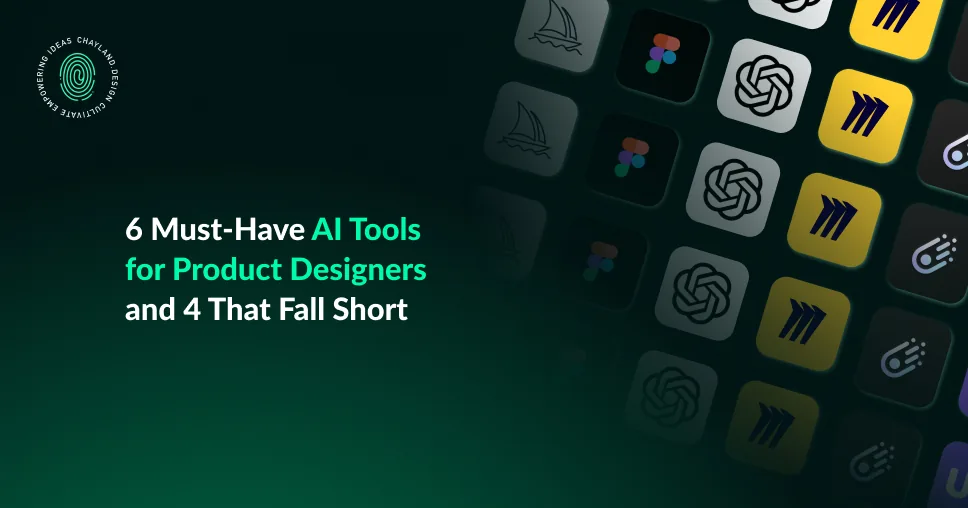
In this article, I’ll walk you through 6 AI tools that have transformed my product design workflow—and 4 that didn’t live up to the hype.
How Product Designers Are Leveraging AI
As a product designer using AI daily, I’ve seen how these tools streamline my workflow and spark creativity. Tasks like user research, UX copywriting, and mapping out early product flows are more approachable than ever.
AI now helps designers:
- Generate images and UI elements
- Conduct A/B testing
- Check for accessibility compliance
- Curate personalized user experiences
- Analyze behavior and user data
- Export editable UI files for prototyping and development
At its best, AI acts like a collaborative partner—available 24/7 to bounce around ideas, assist with technical tasks, and help us move faster.
Evaluating AI Tools
I tested and evaluated each tool with my specific needs in mind. Below is my ranked list of tools for product designers, from worst to best. For the tools that stood out, I’ve also included their strengths and limitations for product design.
4 AI Tools for Product Designers That Fell Short

4. Hotshot (Best used outside of product design) (No longer available)
Use Case: Custom loading GIFsWhy It Fell Short: Quality was poor, and images couldn’t be exported with transparent backgrounds. It’s slow but may have niche uses like 404 pages or blog visuals if quality improves.

3. Majestic AI Generated Icon Set
Pros: Decent icon variety
Cons: Limited customization and refinement. You get one free style, others are paywalled—nothing exceptional for professional use.

2. Magician Icons by Diagram (No longer available)
Pros: Creative concept
Cons: Icons lose clarity and detail when exported. Style inconsistencies made them unusable for my projects.

1. UIzard
Use Case: AI-generated UI
Why It Fell Short: No export to Figma or Sketch; importing from Figma is possible, but overall it disrupts workflow. Features like screenshot-to-mockup have promise but aren’t polished enough for practical use.
6 Must-Have AI Tools for Product Designers

6. Chat GPT
ChatGPT has become a go-to partner in my design process. Together, we’ve crafted copy, researched ideas, built code snippets, and analyzed designs.
Strengths:
- Generates UX copy and design briefs
- Summarizes research
- Offers critiques and coding help
- Assists with CodePen-ready snippets
Limitations:
- No image generation with transparent backgrounds
- May provide inaccurate info—always double-check

5. MidJourney
I highly recommend MidJourney for image creation. It offers more control over variations and style compared to ChatGPT.
Strengths:
- Creates 4 image variations with refinement options
- More visual control than ChatGPT
Limitations:
- Not great for precise editing or brand consistency

4. Miro Assist
Miro Assist is ideal for workshops and brainstorming sessions. It synthesizes data, enhances templates, and supports real-time collaboration—transforming ideas into structured models.
Strengths:
- Summarizes meetings and data
- Turns ideas into diagrams or code
- Enhances Miro templates with AI
- Great for teams collaborating in real time
Limitations:
- Can overwhelm first-time users with too many features
3. FigJam AI
FigJam AI is similar to using Miro Assist – just easier to use if you are already used to Figma. I think FigJam is easier to use and more intuitive with where each feature is placed. It’s my go-to for early-stage design thinking.
Strengths:
- Easy to use (especially for Figma users)
- Automates flowcharts and sticky note sorting
- Real-time collaboration
Limitations:
- AI functionality enhances, rather than transforms, tasks

2. UX Pilot
UX Pilot integrates directly with Figma, allowing you to generate UI elements quickly. It’s all about boosting productivity and creativity.
Strengths:
- Seamless Figma integration
- Generates standard UI components fast
- Allows creative tweaks
Limitations:
- Limited flexibility for complex UI
- Some bugs still being resolved
1. Galileo (now Google Stitch)
Important update:
Galileo has been acquired by Google. The technology is now evolving into Stitch with Google. Previously, Galileo was strong for text-to-UI and image-to-UI generation.
What worked well:
- Multiple layout variations per prompt
- Fast exploration of basic UI structures

Figma AI
Figma introduced AI features but paused rollout after concerns around derivative outputs. If Figma enables designers to plug in their own design systems and constraints, this could become one of the most practical AI design tools available. Until then, it remains a feature to watch rather than rely on.
The Future of AI in Design
AI is accelerating how we work, but it does not replace judgment, context, or empathy.
Designers remain responsible for:
- Understanding users
- Making tradeoffs
- Owning outcomes
The future is not generic AI output. It is personalized, constraint-aware assistants that understand your design system, product goals, and standards.
Until then, AI is best used as leverage, not authority.
If you want help applying AI thoughtfully to real product work, feel free to reach out or subscribe to stay updated.